
How to export a GEDCOM file from your family tree website
Official help checked . Menus can change. These instructions are based on official help, not a tested account export.
Find GEDCOM export instructions for Ancestry, MyHeritage, FamilySearch and seven more tree services, with help choosing what to export and where to find your download.
To export a GEDCOM file, use the export or download option of the service holding your family tree. Save the resulting file on your device before opening it in another tool. The steps vary: some services download directly, some email a link or attachment, and FamilySearch needs a compatible app.
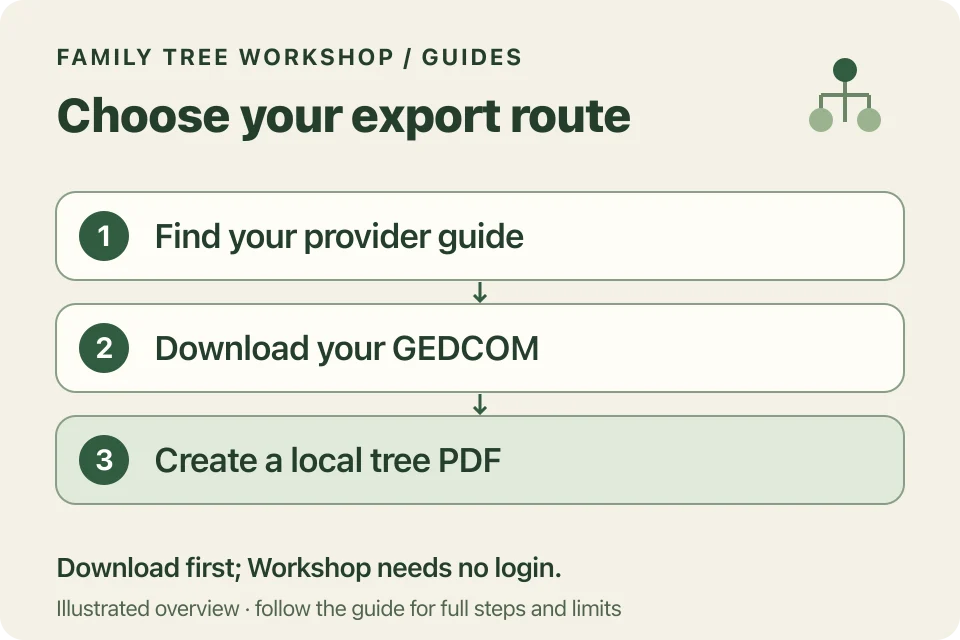
Choose your family tree provider
These guides cover ten established online tree services. Choose the service you use to find its download steps.
| Provider | Where to start | Important distinction |
|---|---|---|
| Ancestry | Tree Settings | Owner-only export; current download arrives in a ZIP. |
| MyHeritage | Manage Trees | Website and desktop Family Tree Builder use different routes. |
| FamilySearch | Solutions Gallery | Former direct export is retired; use a compatible management app. |
| Findmypast | View all trees | Export icon beside the named tree. |
| Geneanet | Import/Export a GEDCOM File | Choose UTF-8 encoding. |
| Geni | Tree-sharing or profile actions | Group, contribution limits and privacy settings affect scope. |
| WikiTree | Download GEDCOM tool | Select a permitted branch of the shared tree. |
| Genes Reunited | Family Tree → Export Gedcom | GEDCOM is emailed as an attachment. |
| Family Echo | Download below the tree | GEDCOM differs from FamilyScript and HTML backups. |
| RootsFinder | Settings → Export a GEDCOM | Download link is sent to the account email. |
Each guide links to official help and shows when we checked it. These are documentation-based instructions, not tests of exports from signed-in accounts.
What is a GEDCOM file?
GEDCOM is a structured genealogy exchange format for people, relationships and recorded facts. The official specifications describe its versions. A plain .ged file contains text. It may link to photos, but those links do not put the original images inside the file. GEDCOM 7 also defines GEDZIP, an archive format for packaging a GEDCOM with other files.
Keep your original research database and media backups. Keep notes about uncertain facts too. A printable chart is useful for sharing, but it isn’t a complete backup of your research.
How do you make a printable tree?
Once downloaded, choose the file in the GEDCOM to PDF converter. The converter reads the main person, family and event details in UTF-8 GEDCOM 5.5.1 and 7 files, within its stated size limits. It also accepts supported ZIP/GEDZIP files, without following links to photos or websites.
Select a starting person, inspect a small chart and review living-person privacy before sharing. Follow how to print a GEDCOM family tree for readable tiles and report choices.
Does Workshop connect to my genealogy account?
No. You download the file yourself, then select it locally. Workshop does not request provider passwords or copy a tree from a private URL. Your file is processed on your device. Your tree provider and email service have their own privacy policies.